5 September 2026 · 6 min read
PageCrawl, ChangeTower, and Wachete compared with WebURLTracker
By Kishan Makani · Updated 6 September 2026
Three overlapping tools, three different defaults. Pick the default that matches the job, then look at price.
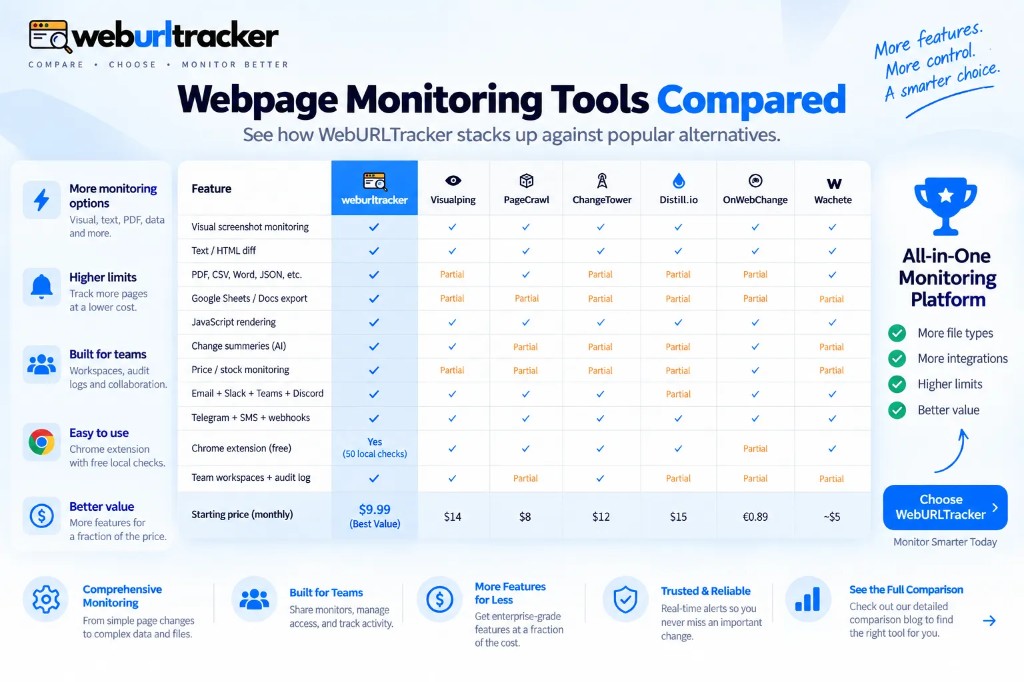
Once you leave Visualping and Distill.io, the next three names in website change monitoring searches are usually PageCrawl, ChangeTower, and Wachete (with OnWebChange close behind). They overlap. They do not have the same default.
This is not a dunk on any of them. Each product optimizes for a different first job: crawl many URLs, archive pages for compliance, or send a cheap ping when HTML moves. The mistake is picking by search ranking instead of picking by the page you are about to paste.
If you need the basics first, read website change monitoring. If you need alert wiring, read webpage change alert. This page is the map between crawl, archive, and notifier tools versus WebURLTracker's region-first workspace model.
PageCrawl
PageCrawl is priced to crawl lots of URLs and summarize them. That is the right default if the job is 'tell me if anything in this sitemap moved' and you are willing to live with a 15-minute fastest cloud interval and proxy add-ons for hard pages.
Volume is the selling point. Free tiers in this category often allow more pages than screenshot-first tools because the product is summarizing change, not storing rich visual evidence for every pixel shift. That works when you are scanning hundreds of similar listing pages and only need to know which URL diverged.
The tradeoff shows up on noisy commerce pages. A crawl summary may tell you 'something changed' without showing the exact price cell that moved. Proxy add-ons exist because datacenter browsers get blocked or see different catalog slices. Budget for that if your targets are aggressive about bot traffic.
WebURLTracker is the better solution if the job is one pricing cell, a 2-minute option on the top plan, and no residential proxy upsell to get an accurate screenshot. Free includes 5 monitors and about 220 cloud checks. Slack and Teams alerts are on every plan. Paid from $9.99/mo scales monitors and adds faster intervals. Ultimate tier includes two-minute cloud checks when launch week demands it.
Practical split: PageCrawl when you need breadth across a sitemap. WebURLTracker when you need depth on ten rival PDPs with visual and text proof you can forward to sales.
ChangeTower
ChangeTower's default is archival and compliance. Free is commonly cited around 3 pages. Mid tiers lean hourly or daily. The product speaks the language of retention, legal review, and historical snapshots.
Use it if the archive is the product. If your compliance program requires proving what a policy page looked like six months ago, an archive-first tool may fit that retention story better than a fast notifier. ChangeTower is often the name that appears in the same breath as compliance website monitoring searches.
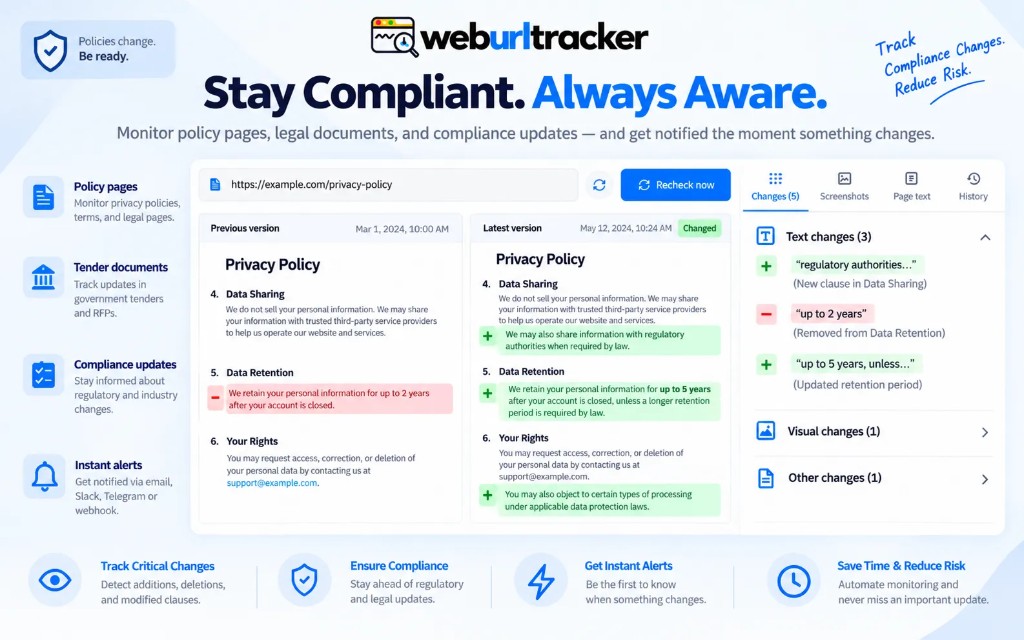
Use WebURLTracker if you need more free monitors, faster checks, Local Chrome for gated portals, and the same workspace as your pricing watches. Region-level diffs catch clause edits without storing a full-page JPEG of every footer tweak. Assignees, folders, and throttle keep Slack usable when multiple policy URLs change in the same week.
Some teams run both patterns: cold archive for long retention, active region watches for pages that change often enough to matter this quarter. That is a policy choice, not a product failure.
Wachete and OnWebChange
These are classic change alerters at low price. Fine for a personal ping when you want to know a mostly static page moved. They are thin if you need visual plus text evidence, folders, assignees, and an audit log your team can share.
OnWebChange sits in the same lane: inexpensive notification when HTML changes. The alert is the product. The workspace is not. If you are one person watching three URLs from a hobby project, that can be enough. If three people need to agree on whether the diff mattered, you outgrow the model quickly.
WebURLTracker costs more than OnWebChange's entry price because it is doing a heavier job on purpose: region picker, dual diffs, shared timeline, and Local Chrome for signed-in pages. See best free website change detection tools for how free tiers compare before you assume cheap equals interchangeable.
Side-by-side defaults
- PageCrawl: many URLs, crawl summaries, proxy upsells for hard sites
- ChangeTower: archival retention, compliance framing, slower cadence on mid tiers
- Wachete / OnWebChange: low-cost ping, personal scale, minimal team features
- WebURLTracker: region-level visual plus text, workspace, cloud plus Local Chrome
Intervals, evidence, and signed-in pages
Fastest cloud interval matters when you compete on pricing during launch week. PageCrawl's fastest tier is often cited around 15 minutes. ChangeTower mid tiers are commonly hourly or daily. Wachete and OnWebChange are not built for two-minute loops. WebURLTracker Ultimate supports two-minute cloud checks when you truly need them.
Evidence type matters for handoff. A text-only ping forces the reviewer to open the live page and guess what moved. Visual plus text on the same monitor lets you forward proof to counsel or sales without a live URL visit. That pairing is the core of visual vs text website change detection.
Signed-in pages break every cloud-only workflow. Seller portals, partner catalogs, and internal dashboards need Local Chrome. WebURLTracker's Chrome extension runs those checks in your browser and stores them beside public cloud watches. PageCrawl and ChangeTower are not primarily extension-first products. Wachete and OnWebChange may not help at all behind a login wall.
Pricing shape (without inventing numbers)
PageCrawl competes on page volume and crawl features. ChangeTower competes on archive depth. Wachete and OnWebChange compete on low entry price. WebURLTracker competes on workspace depth: 5 free monitors, about 220 cloud checks, 50 Local checks, paid from $9.99/mo with 100 monitors and 15K checks on Standard.
Open each vendor's live pricing page before you commit a workflow. Free tiers change without a press release. Our live limits are on Pricing. Estimate your volume on the credits calculator if monitor count and interval math is unclear.
A short decision list
- Sitemap-scale summaries: look at PageCrawl, then see if region accuracy still matters
- Long legal archive: look at ChangeTower, then see if you also need fast product watches
- Cheap personal ping: Wachete or OnWebChange
- Shared workspace, region picker, visual plus text, Local Chrome: WebURLTracker
When two tools in one stack is rational
You do not have to pick one vendor for every URL in the company. A GRC team may keep ChangeTower for cold storage while product marketing runs rival PDP watches in WebURLTracker. An SEO team may crawl a sitemap in PageCrawl while pricing ops watches three plan columns with region diffs.
What fails is duplicating the same URL in three products without owners. Pick one primary tool per URL. Use secondary tools only when their default clearly matches a different job.
Try before you migrate
Paste one painful URL into each candidate. Draw the tightest region you can. Run a week. Count false positives and missed edits. Migration cost is not the signup form. It is re-training the team to trust alerts again.
Start with WebURLTracker if your short list already includes Visualping or Distill.io. Read Visualping alternative and Distill.io alternative for the screenshot-first and local-watcher angles those names cover.
The live feature matrix and per-competitor pages live under /vs. Pricing is on /pricing. None of this is a claim that the other products are fake. They optimize for different defaults. Pick the default that matches the page you are about to paste.
Related blogs
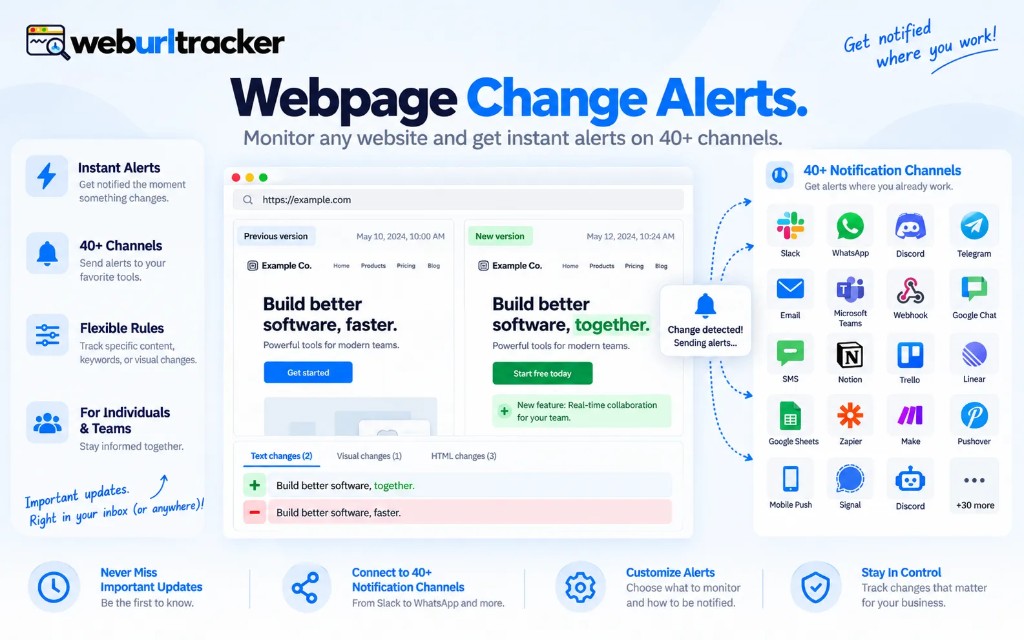
- Webpage change alerts that do not spam the channel
- Compliance website monitoring for terms, privacy, and disclosures
- How to monitor competitor pricing pages without drowning in alerts