3 September 2026 · 7 min read
Webpage change alerts that do not spam the channel
By Kishan Makani · Updated 6 September 2026
An alert without a region is a screenshot of yesterday's ad unit. Wire the watch, then wire the channel.
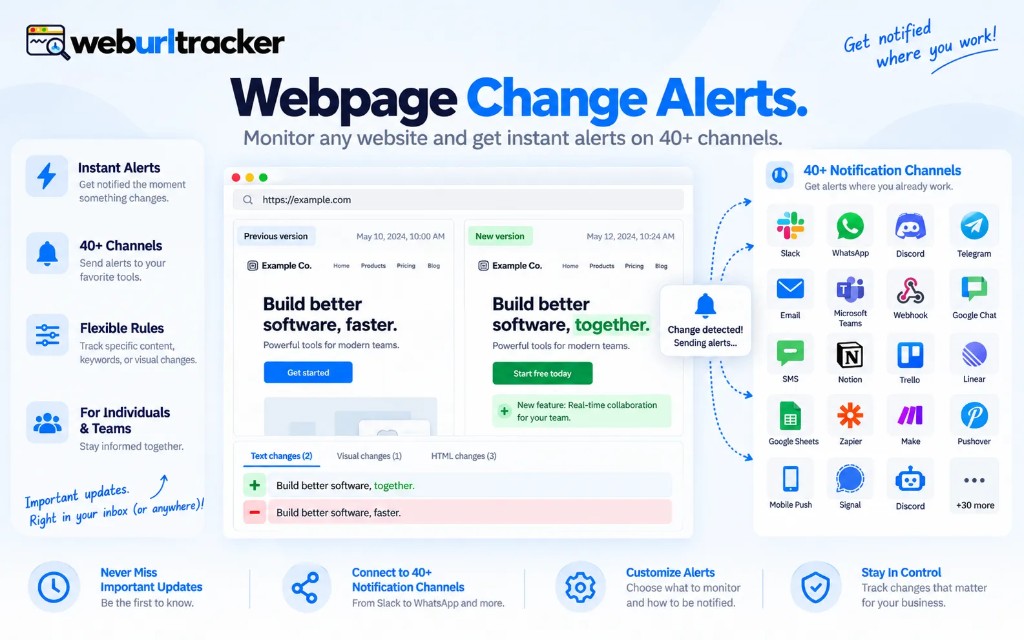
A webpage change alert is only as good as the watch behind it. If the monitor is the whole homepage, Slack will learn to mute you. If the monitor is the stock badge, the same Slack channel becomes useful.
Most alert fatigue is not a notification problem. It is a region problem. Teams bolt on Slack, then wonder why nobody reads the channel. The watch was capturing ads, cookie banners, and rotating heroes. Fix the capture first. The alert becomes trustworthy second.
This guide is about wiring website change monitoring so the ping means something. Order matters. Channel choice matters less than you think until the region is right.
Order of operations
- Pick the URL and the region in the preview
- Set visual threshold and any price rule
- Confirm two quiet checks so you know the baseline is stable
- Then connect email, Slack, Teams, Discord, Telegram, or a webhook
- Turn on throttle before you add a noisy URL
Skipping straight to Slack is the common mistake. You get a green connection test, then three days of false positives because the baseline included a flaky widget. Run quiet checks first. If the page cannot sit still for two consecutive captures without crossing threshold, tighten the region before you invite the team channel.
Region: the part most alerts skip
Open the live preview. Click the block that holds the number, price, clause, or badge you care about. On a product detail page, that is usually the buy box, not the marketing gallery. On a policy page, it is the article body, not the site chrome. On a job board, it is the results table, not the header promo.
Whole-page watches are fine for mostly static documents. They are a bad default for commerce, news, and SaaS marketing sites. If you are unsure whether your URL is noisy, assume it is noisy and draw a tight region anyway. You can always widen later. You cannot un-train a team that already muted the channel.
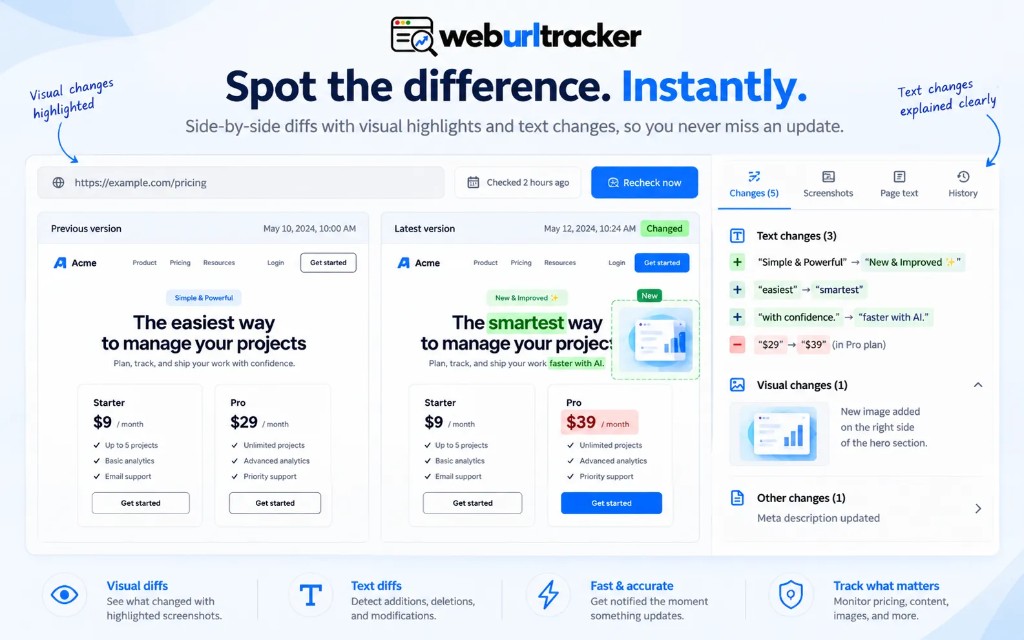
Visual and text diffs should share one region. See visual vs text website change detection for why pairing them beats choosing one. The alert should carry both: a picture for layout shifts, extracted copy for the sentence that changed.
Threshold and price rules
Visual threshold is how much pixel change counts as real. Too low and anti-aliasing pages you. Too high and a subtle price edit slips through. Start moderate. Tune after the first week of alerts. There is no universal number because every page renders differently.
Price rules help when the region holds a number. Watch for any change, or only drops, or only crossings above a line you set. That is useful on competitor PDPs and your own catalog when you care about direction, not just movement. More setup notes in monitor competitor pricing pages.
- Any change: default when the region is small and mostly text
- Drop only: useful for buy-box and MAP monitoring
- Crossing a number: useful when you only care about breaking a threshold
- Combine with throttle so a flickering promo does not spam the channel
Throttle, mute, and digest discipline
Throttle collapses repeat alerts for the same underlying change. Without it, a vendor fixing a typo in three deploys sends three pings. With it, the team sees one event and reviews the final state.
Mute is for known noise: a holiday banner, a scheduled maintenance ribbon, an A/B test you already acknowledged. Pause the monitor instead of deleting it if you want history intact. Deleting throws away the baseline you will need when the test ends.
Digests are underrated for low-urgency watches. Not every monitor needs instant Slack. A daily email summary of quiet changes can be enough for partner pages and secondary rivals. Reserve instant channels for URLs where a miss costs money or compliance risk.
Channel choice
Email works everywhere and archives itself in inboxes people already search. Slack and Teams win when the response is conversational: 'Did anyone else see this drop?' Discord and Telegram fit small teams that already live there. Webhooks fit when the destination is a ticket queue or internal tool.
One monitor can fan out to multiple channels on paid plans. Do not do that by default. Start with one destination per monitor until you trust the signal. Splitting the same noisy watch into email and Slack doubles the fatigue without doubling the value.
Webhooks are for the case where the 'channel' is already a ticket queue. Send the diff URL. Do not rebuild a scraper to parse the live site from the hook. The capture already did that work. Your receiver should open the event, assign an owner, and link the evidence. Re-fetching the page from the hook often sees a different ad slot and creates a second false argument.
Sending webpage change alerts to Slack
Slack is the most common destination people ask about. In WebURLTracker it is a notification channel you add once in workspace settings, on every plan including free. Each alert posts the monitor name, what changed in the text, and a link to the before and after screenshots, so the thread can start from the evidence instead of a bare URL.
- Create an incoming webhook in Slack for the channel you want, then paste it as a Slack channel in WebURLTracker notification settings.
- Send a test alert before attaching it to monitors, so you know the channel and permissions are right.
- Point only the watches that need a fast response at Slack. Leave low-urgency pages on email.
- Use a separate channel per team or client if several groups share one workspace.
If you are moving from another monitoring tool mainly for Slack delivery, start with the one or two pages whose alerts the team actually acts on. Set the region and threshold first, confirm a quiet baseline, then connect Slack. The order matters more than the integration itself.
What a good alert payload includes
- Monitor name and URL so nobody clicks the wrong link
- Before and after visual evidence, or a link to the diff viewer
- Text diff excerpt when copy changed
- Timestamp in a timezone your team actually uses
- Direct link to the event in the workspace for handoff
If your alert system only says 'something changed,' you have rebuilt the manual refresh habit with extra steps. The payload should answer 'what changed' without opening the live site. Live sites lie: they show today's promo, not yesterday's baseline.
Wachete, OnWebChange, and 'just notify me'
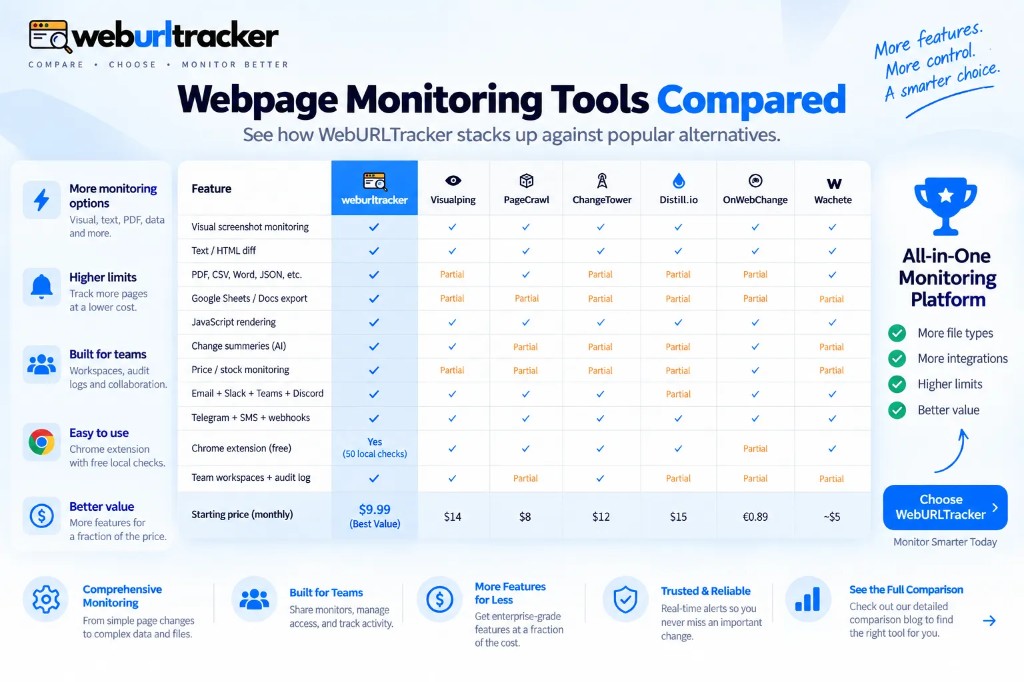
Wachete and OnWebChange are inexpensive ways to get a ping when HTML moves. That is enough for a personal watch on a mostly static page. They are thin when the ping has to carry visual and text evidence, belong to a workspace with folders and assignees, and share the same path for cloud and Local Chrome checks.
WebURLTracker is the better solution when more than one person reviews the same diff, when the page is visually noisy, or when some watches must run in your signed-in Chrome. Free includes 5 monitors, about 220 cloud checks, 50 Local checks, and alerts to email, Slack, Teams, Discord, Telegram, or a webhook URL. Paid from $9.99/mo adds more monitors, faster intervals, and signed webhooks.
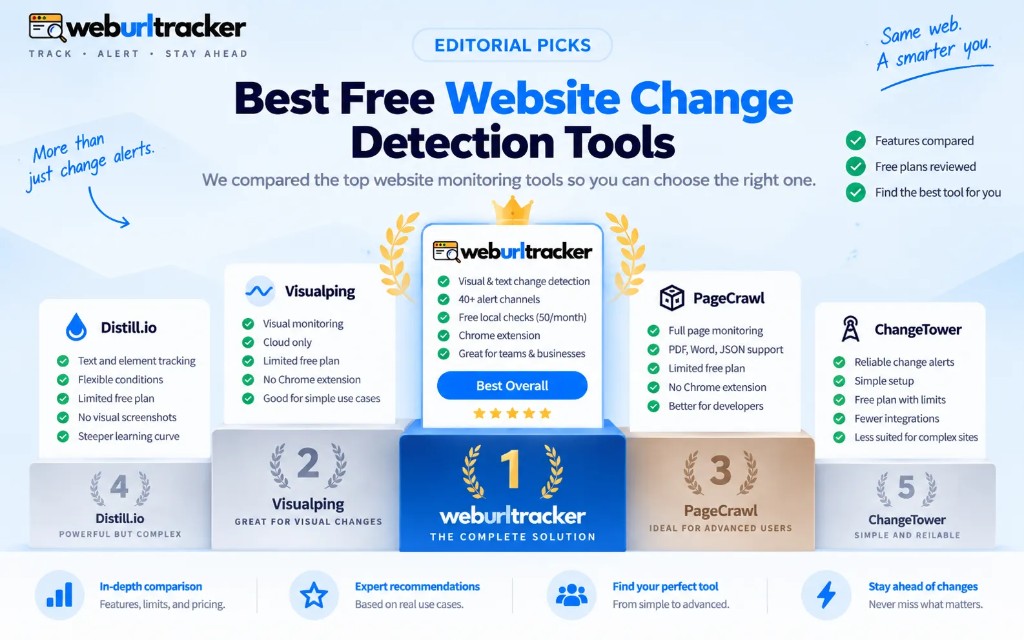
Comparison context for crawl and archival tools: PageCrawl, ChangeTower, and Wachete compared. Free-tier limits across vendors: best free website change detection tools.
Signed-in pages and Local Chrome
Cloud alerts fail quietly when the interesting page sits behind login. The worker captures a sign-in wall. The alert either never fires or fires on garbage. Move those watches to Local Chrome via the Chrome extension. Alerts use the same channels once the check runs in your browser.
Remember Local Chrome needs Chrome open on that machine. Cloud keeps checking while the laptop sleeps. Split workloads on purpose: public rival pricing on cloud, internal admin console on Local Chrome, both feeding the same Slack channel with throttle on.
Compliance and policy alerts
Policy watches deserve their own channel and tighter regions. Route terms and privacy monitors to counsel or GRC, not the same #competitors feed. Assign an owner per URL. The alert is the tripwire; the human review is still the decision. More detail in compliance website monitoring.
First-week checklist
- One URL where a miss would hurt, one region, one channel
- Two quiet baseline checks before announcing the watch to the team
- Throttle enabled before adding a second noisy URL
- Review the first three alerts: true positive, false positive, or wrong region
- Pause or delete only after you document why the watch failed
Paste a URL on the homepage preview, draw the region, then wire email before Slack. When the first alert shows the change you cared about, add the team channel. That sequence builds trust. Announcing Slack first builds mute buttons.
Related blogs
- PageCrawl, ChangeTower, and Wachete compared with WebURLTracker
- Website change monitoring: what it is and when you need it
- Best free website change detection tools in 2026