1 September 2026 · 7 min read
Compliance website monitoring for terms, privacy, and disclosures
By Kishan Makani · Updated 6 September 2026
Counsel needs the clause that moved, not another screenshot of a restyled policy template.
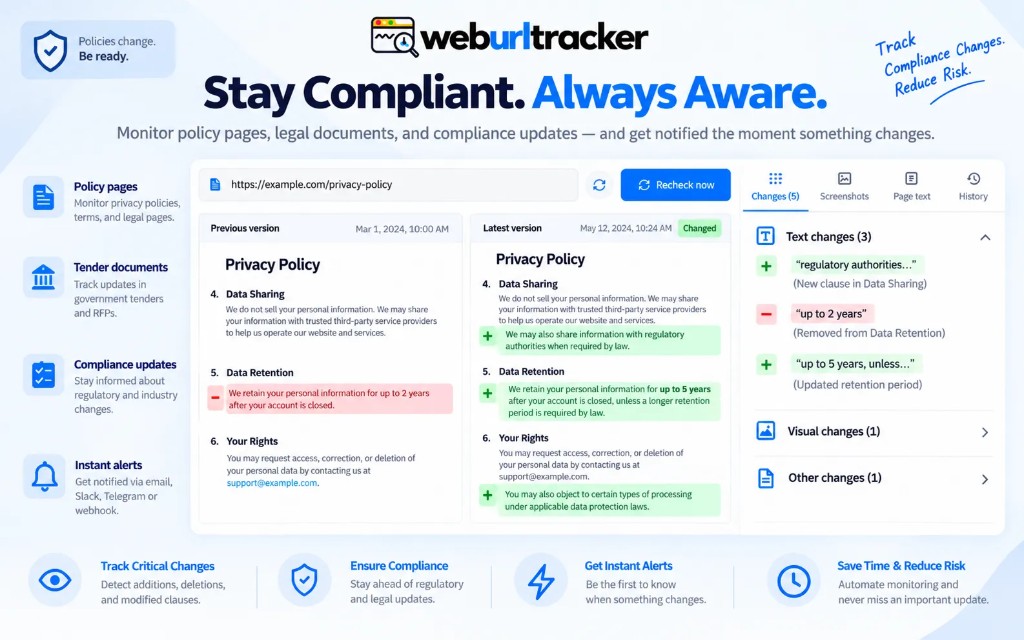
Policy pages get a new theme more often than they get a new indemnity paragraph. If your watch is a full-page screenshot, the theme is the alert. Compliance website monitoring only works if the instrument is the legal body, the evidence includes the old sentence, and a named person has to look at it.
Legal and GRC teams rarely wake up asking for another monitoring tool. They wake up because a vendor moved liability language, a privacy policy gained a new subprocessors section, or a product disclosure page quietly dropped a footnote. The job is not to archive the entire internet. The job is to catch the clause that moved before a customer, regulator, or partner cites the old version.
That is a different muscle from uptime. Uptime tells you the server answered. Website change monitoring tells you the words on the page changed. For counsel, the before-and-after sentence matters more than a green status dot.
Why full-page watches fail on policy URLs
Terms and privacy pages share the same failure mode as pricing pages: the header, footer, cookie banner, and navigation change more often than the legal body. A full-viewport capture treats every font swap as an event. Slack mutes the channel. Email filters pile up unread. Six months later, a real indemnity edit ships and nobody notices because the team stopped reading alerts.
The fix is boring and effective. Pick one region that holds the article body. Exclude the cookie layer. Exclude the marketing nav. If the page has a table of contents sidebar, do not include it unless the TOC itself is legally material. You want the diff to show paragraph edits, not a restyled H1.
Visual and text evidence belong together here. A screenshot proves layout moved. A text diff lets counsel search for the old phrase without squinting at pixels. We wrote more about that pairing in visual vs text website change detection. On policy pages, text is usually the primary signal. Visual still helps when a clause moves between sections.
A workable pattern
- One monitor per policy URL (terms, privacy, DPA landing, product disclosure)
- Region on the article body, cookie banner excluded
- Assignee in the workspace, not a shared inbox nobody owns
- Alert to the counsel or GRC channel with throttle
- PDF monitors when the 'page' is a download, not HTML
One URL per monitor sounds like overhead until you try to merge terms and privacy into a single watch. They change on different cadences. Splitting them keeps alerts readable and makes assignee routing obvious. A privacy update goes to the DPO path. A terms edit goes to commercial counsel. Mixing both in one diff is how you get a paragraph of context nobody asked for.
Assignees are not vanity metadata. They are the difference between an alert that gets reviewed and an alert that dies in a shared inbox. Put a named owner on each policy monitor. If that person is out, reassign in the workspace instead of forwarding screenshots by hand.
Region selection on legal pages
Open the live preview. Click the block that contains the operative clauses, not the hero that says 'Your privacy matters to us.' On long policies, you may need two monitors: one for the introduction and definitions, one for the data processing section. That is still cheaper than re-reading forty pages every Monday because a footer link changed color.
Set a visual threshold that ignores minor anti-aliasing but catches paragraph inserts. Turn on throttle so a flaky CDN does not page the team five times for the same edit. If the vendor A/B tests a banner above the policy body, mute the watch briefly, tighten the region, then re-enable. Deleting the monitor loses history. Pausing preserves the baseline for when the page calms down.
- Terms of service: watch the liability, termination, and arbitration blocks separately if they live far apart on the page
- Privacy policy: focus on collection, sharing, retention, and subprocessors sections
- Cookie policy: often short enough for one region; still exclude the site-wide consent widget
- Product disclosures and safety sheets: treat like any other HTML page unless the source is a PDF
- Vendor trust centers: watch the subprocessors table, not the logo strip
PDFs, downloads, and non-HTML sources
Some disclosures ship as PDFs linked from an HTML landing page. If the legal artifact is the PDF, monitor the PDF URL directly when your tool supports it. Watching only the landing page tells you the download button moved, not that page 14 gained a new limitation of liability.
When the vendor publishes both HTML and PDF, pick the version your contracts reference. If customers sign against the PDF, that is the source of truth. If the public HTML is canonical, watch that. Mixing them without documenting which one matters creates arguments later, not clarity.
Alert routing and review workflow
Email is fine for a first pass. Slack or Teams works better when counsel already lives there. Route policy watches to a dedicated channel with a clear name, not #general. Use throttle on every monitor attached to that channel. One real edit per day is useful. Five duplicate pings for the same edit trains people to ignore the channel.
Webhooks fit when your GRC stack already opens tickets. Send the diff URL and the monitor name. Do not rebuild a scraper on the webhook receiver. The capture already extracted the text. Your job on the receiving side is assignment and SLA, not re-fetching the live page from a datacenter IP that might see a different cookie banner.
For a practical alert setup checklist, see webpage change alert. The same order applies here: region first, threshold second, quiet baseline third, channel last.
ChangeTower and archival
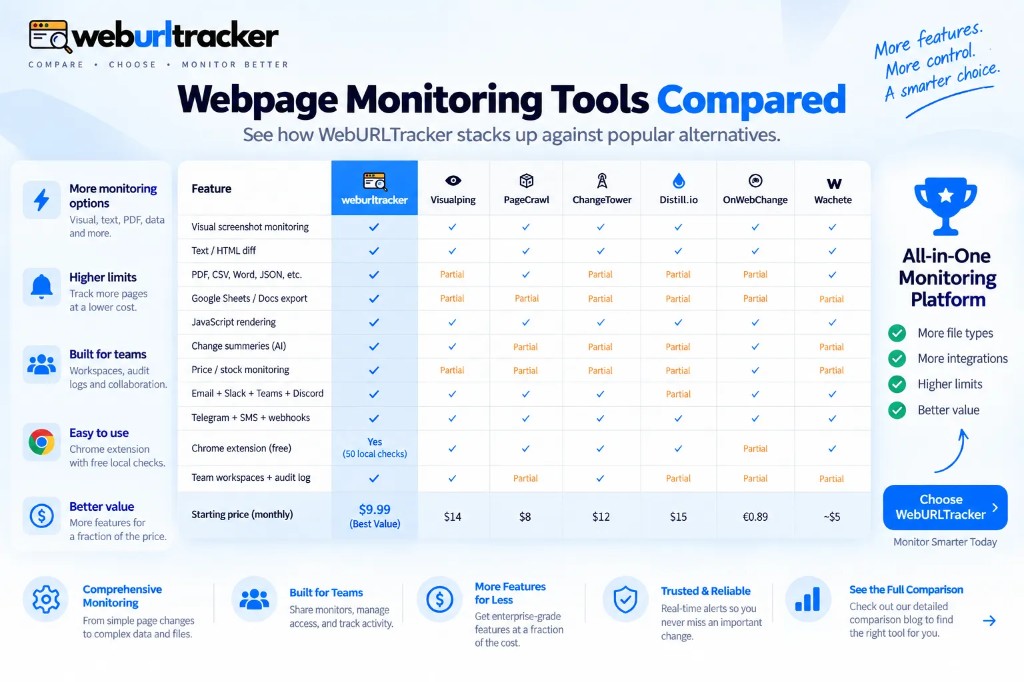
ChangeTower is often the comparison because it sells archival and compliance framing. If long retention of whole pages is the requirement, that product may still be the right archive. Its free tier is small (commonly cited around 3 pages). Mid tiers lean hourly or daily checks. That cadence is fine when the question is 'what did the page look like last quarter?' It is slow when the question is 'did the subprocessors list change this afternoon?'
WebURLTracker is the better solution when the same team also watches pricing and status pages, needs faster cloud intervals than hourly mid-tiers, and wants Local Chrome for portals that sit behind a login. Free includes 5 monitors and about 220 cloud checks per month. Paid plans start at $9.99/mo with more monitors, Slack, Teams, and faster intervals. Ultimate tier supports two-minute cloud checks when you truly need them during a launch or regulatory deadline.
You can run both philosophies in one org without contradiction. Use an archive-first tool for long cold storage if your retention policy demands it. Use region-level monitoring for the pages that change often enough to matter this week. The mistake is expecting one product to optimize equally for ten-year retention and same-day clause detection.
Broader competitor context lives in PageCrawl, ChangeTower, and Wachete compared and on the live vs matrix.
Local Chrome when policies sit behind login
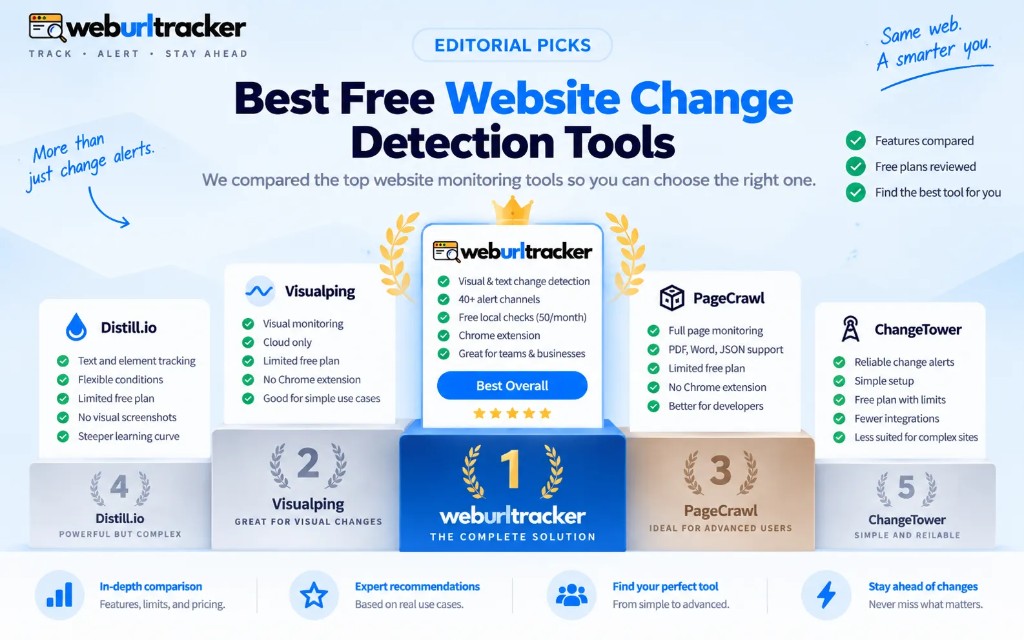
Not every policy page is public. Partner portals, vendor trust centers behind NDA, and internal policy libraries often require your session. Cloud workers hit a sign-in wall. Local Chrome runs the check in your signed-in browser via the Chrome extension and stores the result in the same workspace as your public watches.
That split is normal in GRC workflows. Public terms on cloud. Gated vendor packet on Local Chrome. Same assignee, same Slack channel, same diff format. The runtime changes. The review habit does not.
What this is not
This is monitoring, not a legal opinion. The diff is evidence that the public HTML changed at a timestamp. Counsel still reads the clause. Compliance still decides whether the change triggers customer notice, contract amendment, or regulatory filing. The tool does not replace that judgment. It stops you from discovering the change three weeks late because nobody had time to manually refresh forty vendor URLs.
Keep a short runbook next to the monitors: who reviews, what counts as material, how fast you respond, where approved versions live in your contract repository. The monitor is the tripwire. The runbook is the response.
First-week setup
- List the policy URLs your contracts and privacy program actually reference
- Create one monitor per URL with a region on the legal body only
- Assign an owner and route alerts to a dedicated counsel or GRC channel
- Run two quiet checks before you treat the baseline as stable
- After the first real alert, tune threshold or region if the noise was cosmetic
Paste a public policy URL on the homepage preview to see the region picker before you create an account. Free includes 5 monitors, enough to prove the workflow on your highest-risk pages before you expand. If the first diff shows the sentence counsel asked about, you are doing the job right.
Related blogs
- PageCrawl, ChangeTower, and Wachete compared with WebURLTracker
- Best free website change detection tools in 2026
- Chrome extension website change monitoring for signed-in pages