12 August 2026 · 6 min read
Website change monitoring: what it is and when you need it
By Kishan Makani · Updated 6 September 2026
Uptime tools tell you a page responded. Change monitoring tells you what on the page moved.
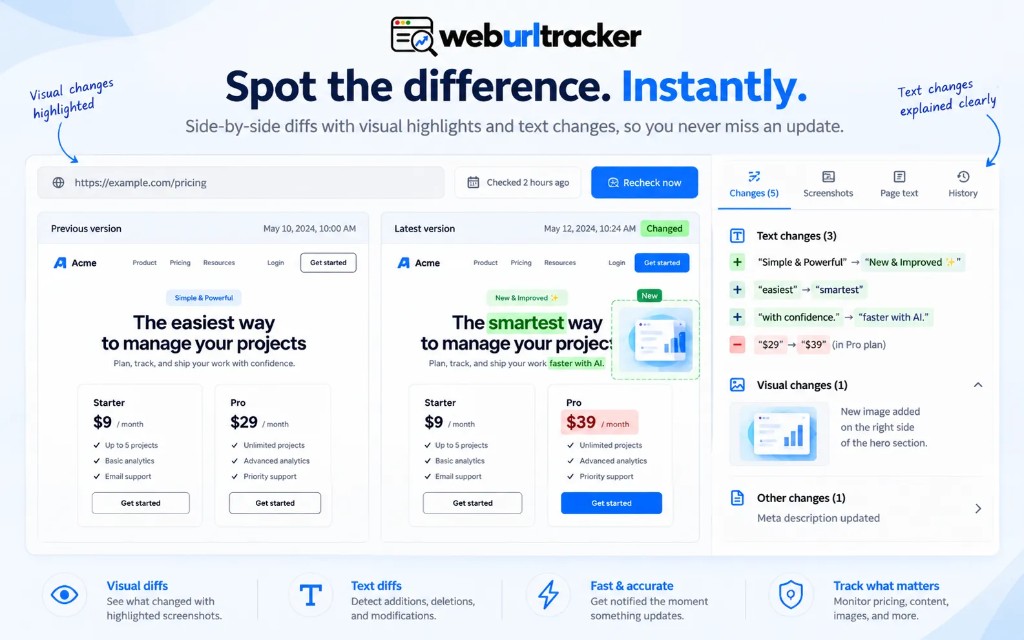
Website change monitoring is a scheduled check against a saved baseline. You paste a public URL (or run the check in your signed-in Chrome), pick the part of the page that matters, and get a record when that part moves. The record is usually a screenshot plus a text diff. The alert is email, Slack, Teams, or a webhook. That sounds simple. The hard part is picking the right region so you are not alerted every time a cookie bar or carousel shifts.
That is a different job from uptime monitoring. Uptime asks whether the server answered. Change monitoring asks whether the price, clause, listing, or layout you care about is still the one you saw last time. A site can return HTTP 200 while the number on the pricing page changed overnight. Your uptime dashboard stays green. Your deal desk is wrong.
People search for website change monitoring when they have already been burned once: a competitor dropped a tier, a policy page gained a new liability clause, a product went out of stock, and nobody noticed until a customer mentioned it. The fix is not checking the page manually every morning. The fix is a watch that stores proof.
What a useful watch actually stores
A weak watch is a JPEG of the entire viewport. Marketing sites shuffle heroes, cookie bars, and ads. You get paged for noise. After a week you mute the channel or delete the monitor. A useful watch stores three things: the URL, the region (a rectangle, CSS path, or equivalent), and a baseline of pixels plus extracted text. Later checks compare against that baseline, not against your memory of the page.
The region is the decision. On a pricing page, that might be one plan column, not the whole grid. On a terms page, it might be the payment section, not the footer links. On a product detail page, it might be the price and availability block, not the related products carousel. Narrow regions are how you keep signal high when the rest of the page is designed to move.
- Visual diff: pixels that appeared, disappeared, or moved
- Text diff: copy that was added, removed, or rewritten
- Threshold: how much visual change is worth an alert
- Optional price rule: increase, drop, or crossing a number
Visual and text evidence belong together. A screenshot without the sentence is hard to forward to counsel. A text diff without the picture is hard to trust when the page restyled. We wrote more about that split in visual vs text website change detection. The short version: use both on the same monitor, against the same region.
How a check actually runs
On a schedule (hourly, daily, or faster on paid tiers), the system loads the URL in a browser, captures the region you picked, extracts text from that region, and compares both to the last good baseline. If the change crosses your threshold or price rule, it opens an event: before screenshot, after screenshot, text diff, timestamp, and a link back to the monitor.
Cloud checks run on workers you do not manage. They work for public pages. Local Chrome checks run in your signed-in browser via the extension. They work for pages behind login, internal staging, or anything that needs your session cookies. WebURLTracker treats both as first-class paths in one workspace, not as a workaround tacked onto a cloud-only product.
Checks include jitter so they do not all fire at :00 on the clock. That matters on pages that rotate ads or run timed promos. A little randomness reduces false positives from synchronized third-party widgets.
Common jobs that fit change monitoring
- Competitor pricing and packaging: watch the plan cell, not the marketing hero. See monitor competitor pricing pages for a practical setup.
- Policy and compliance pages: terms, privacy, disclosures. Counsel wants the old clause in writing.
- Inventory and availability: sold-out overlays, restock badges, shipping estimates on a PDP.
- Job boards and listings: new rows, removed rows, salary band edits.
- Partner or vendor pages: when a integration page quietly drops your logo or changes eligibility copy.
Each of these jobs shares a pattern: one block on the page is the source of truth, and the rest of the page is noise. Change monitoring works when you respect that pattern. Full-page archival is a different product category. Crawlers that map entire sites solve a different problem. Know which job you are hiring for.
Where Visualping, Distill.io, and similar tools sit
Visualping is the name most people search first. It is a screenshot-led change detector with a large brand. Distill.io is the name people search when they already run a local watcher in the browser or desktop app. PageCrawl, ChangeTower, OnWebChange, and Wachete cover overlapping jobs: crawls, archival, cheap text watches, classic alerts. None of them is wrong. They optimize for different defaults.
If you are comparing screenshot-first tools, read Visualping alternative. If you are comparing local desktop watchers, read Distill.io alternative. If you want a wider map of crawl and archival tools, see PageCrawl, ChangeTower, and Wachete compared.
WebURLTracker is a better fit when the same monitor needs visual and text evidence, a click-to-select region, workspace folders, and Local Chrome checks for pages behind login. It is not a claim that those products fail. It is a claim about the job: noisy pages, shared review, and proof you can forward without opening the live URL.
Workspace features that matter at scale
One person with five URLs can live in email alerts forever. Ten people with fifty monitors across rivals, policies, and product pages need folders, tags, assignees, and an audit log. The monitor is not just the check. It is the shared record of what changed, who saw it, and whether anyone acted.
Folders let you group monitors by competitor, product line, or compliance domain. Throttle and digest settings keep Slack usable when a vendor A/B tests a banner. Webhooks let you push events into your own systems if you already have a competitive intel workflow.
A simple way to choose
- If you only need to know the site is up, use an uptime tool.
- If you need a picture of a mostly-static page, a Visualping-style screenshot watch can be enough.
- If you already live in Distill.io on one machine, stay there until you need a shared workspace.
- If the change is one block on a noisy page, and more than one person has to review it, use region-level visual plus text monitoring.
Start small. Pick one URL where a miss would hurt. Draw one region. Run it for a week. Tune the threshold when you get a false positive. Add a second monitor only after the first one earns trust.
Alert routing deserves the same care as region picking. Email is fine for low volume. Slack or Teams channels work when a small group owns competitive intel. Webhooks fit if you already pipe signals into Notion, Salesforce, or a data warehouse. The wrong channel is as bad as the wrong threshold: alerts arrive, nobody owns them, and the watch slowly dies.
Treat the first month as calibration, not production. Keep notes on which events were real versus noise. Adjust regions before you adjust tools. Most teams that succeed with change monitoring do not swap products weekly. They tighten one rectangle until the signal is boringly reliable.
WebURLTracker's free plan includes 5 monitors, about 220 cloud checks, 50 Local checks, visual and text diffs, and email alerts. Paid plans start at $9.99/mo with 100 monitors and 15K checks. Ultimate tier supports two-minute cloud intervals when you truly need them. Paste a URL on the homepage preview to see the picker before you create an account. If the region click makes the job obvious, you are ready to build the watch.
Related blogs
- Visualping alternative: when region-level diffs are the better watch
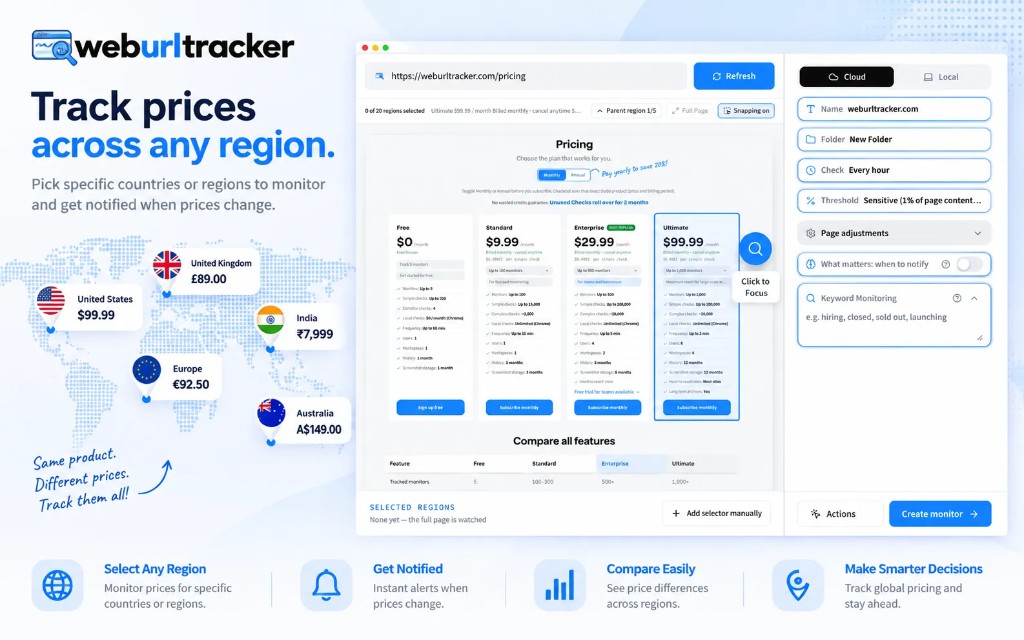
- Webpage change alerts that do not spam the channel
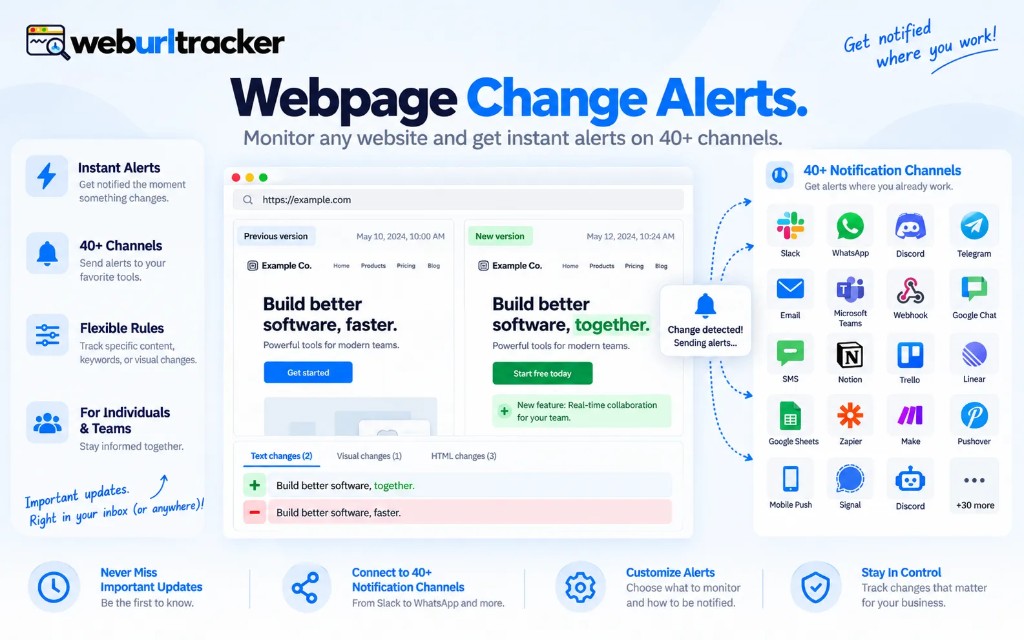
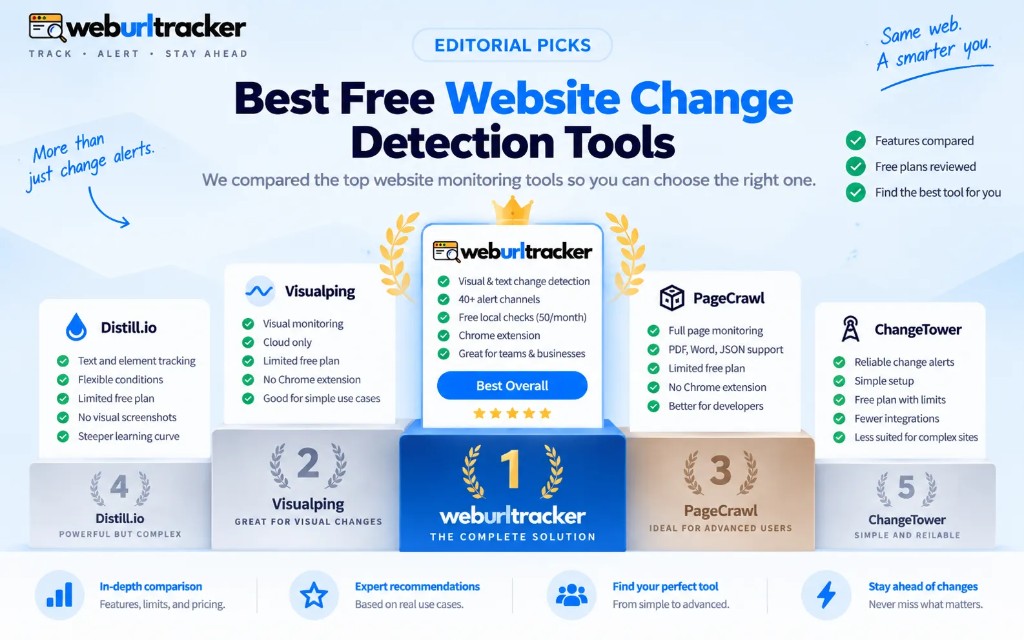
- Best free website change detection tools in 2026