
AI Summary
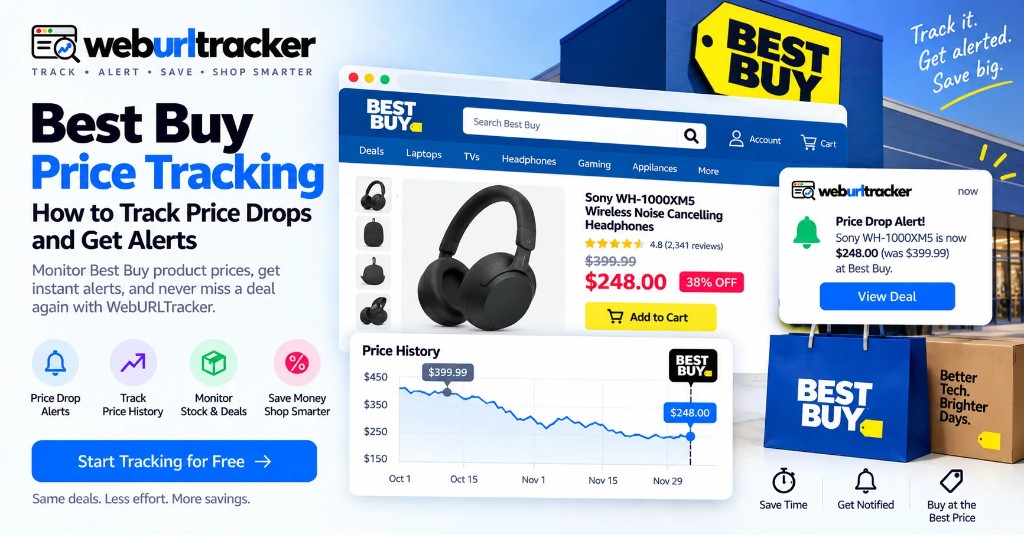
Best Buy prices can change during promotions, seasonal sales, and competitive pricing events. Manually checking product pages makes it easy to miss a short-lived discount. Add the Best Buy product URL to WebURLTracker, focus on the price area, choose a check frequency, and receive an alert when the page changes. Compare the same SKU on Amazon and Walmart when the purchase is large enough to justify a cross-store watch.
Why Best Buy price tracking matters
This guide sits under retail price monitoring. For seasonal Best Buy watches, see Best Buy Black Friday deal alerts. For Amazon year-round tracking, start with Amazon price tracking.
Shopping for electronics often means comparing the same product across several retailers. A laptop can be one price today and another tomorrow. A TV may become cheaper during a promotion. A gaming accessory can suddenly go on sale and return to its previous price later.
Retailers such as Best Buy, Walmart, and Amazon regularly discount products and compete during major sales events. Manually checking prices and maintaining multiple bookmarked product pages becomes tiring quickly.
That is where automated price tracking helps. Instead of repeatedly asking whether the price changed, set up the monitor once and let the page report the change.
The same habit helps for big-ticket electronics you plan to buy within a few weeks. You do not need to live in the Best Buy app. You need a clean signal when the displayed price moves.
What is Best Buy price tracking?
Best Buy price tracking means monitoring a product page over time so you can detect price changes without repeatedly checking it yourself.
A basic tracker watches the product page at a chosen interval. When the monitored price area changes, the system sends an alert. Useful signals include:
- Price drops: a better buying window may have opened
- Sale price appears: a promotion has started
- Price increases: a previous deal may be ending
- Stock changes: a popular item may have returned or sold out
- Delivery changes: availability may have shifted
- Variant changes: the exact configuration you want may differ
The important idea is simple: monitor the part of the page that matters instead of the entire page.
Find the exact product
Open BestBuy.com and find the product you want to track. Use the exact listing and, when relevant, select the correct size, storage capacity, color, bundle, or configuration.
This matters because similar-looking products can have different prices. A 15-inch laptop with 16 GB of RAM is not the same watch as the 8 GB variant, even when the marketing photos match.
Copy the product URL
Copy the URL of the Best Buy product page. Paste it into the preview on this page, then create a new WebURLTracker monitor. One monitor per product or configuration that matters.
Name monitors after the product and the signal. Examples: OLED TV price, MacBook 16 GB price, GPU sale badge. Keep names short so a long watchlist stays scannable.
Select the price area
Focus your monitor on the section containing the product price. A focused selection reduces noise from unrelated page changes such as recommendations, reviews, banners, or other dynamic elements.
For price tracking, the price itself is the most important signal. Member pricing and open-box rows can sit beside the public list price, so draw the region that matches the price you would actually pay.
Choose the monitoring frequency
Your frequency should match how quickly you need to act.
- Normal wishlist item: daily or several times a day
- Expensive electronics: several checks per day
- Active promotion: hourly or more frequently
- Flash sale: frequent checks
- Major shopping event: start monitoring before the event
Cloud checks run on a schedule with jitter. Alerts go to email on the free plan, or Slack, Teams, Discord, Telegram, and webhooks on paid plans. Use Local Chrome when member pricing only appears in a signed-in session.
During quiet weeks, slower checks are enough to catch a midweek markdown. During a store-wide sale window, raise frequency on the few products that still matter and leave the rest alone so the alert queue stays usable.
Set a useful alert
Create an alert around the change you care about. Examples: alert when the price changes, or alert when this product goes below your target price.
The principle is the same either way: turn a vague watchlist into an actionable signal. Review the stored before-and-after when an alert lands, then open the live listing only when the signal looks real.
Why monitoring a specific price area is better
A Best Buy product page contains much more than its price. You may see reviews, related products, promotional banners, delivery estimates, recommendations, financing information, and product specifications.
Some of those elements can change without the product price changing. If your goal is price tracking, monitor the price region rather than treating every page modification as a price event.
This creates cleaner alerts and makes it easier to act when a genuine discount appears.
If financing copy, delivery estimates, or recommendation carousels keep changing, shrink the selection until only the price and adjacent sale badge remain inside the region. That single change usually cuts most of the noise.
Compare Best Buy with other retailers
Shoppers often compare Best Buy with Amazon and Walmart, particularly during major sales events. A simple comparison workflow looks like this:
- Best Buy: product price and availability
- Amazon: price, seller, and availability — see Amazon price tracking
- Walmart: product price and stock
- Costco: product price and membership-specific offer where applicable
- Manufacturer: direct price and promotions
WebURLTracker is useful when you want to monitor product pages rather than depend on a retailer-specific price database. Create separate monitors for the same product across multiple websites and compare alerts. Put each retailer in its own folder so mute decisions stay local.
For multi-store Black Friday coverage, also see Black Friday deal alerts across retailers.
Track price and stock together when it matters
A low price is not useful if the product is sold out. For high-demand electronics, add a separate availability monitor for Add to Cart, In Stock, or pickup status.
If you only watch price, a sold-out listing can still look like a win. If you only watch stock, you may buy the first available unit at a price you would not accept on a quieter weekday.
A dedicated Best Buy stock guide can sit beside this year-round price watch when restocks dominate the decision. Until then, reuse the same region-select workflow and name the second monitor clearly so the two alerts do not blur together.
Best Buy price tracking for businesses
Price monitoring is also useful beyond personal shopping. Ecommerce teams can monitor competitor product pages to understand public pricing changes.
- Competitor price monitoring
- Product availability monitoring
- Promotion tracking
- Marketplace research
- Retail price intelligence
- Cross-store comparison
A focused monitor can provide a simple historical record of what changed and when. Keep the product, variant, retailer, and market consistent when comparing competitor pricing across regions.
Location and market details
Best Buy price monitoring is most relevant to shoppers using Best Buy's available regional storefronts and to businesses researching retail pricing. Pricing can differ by location, product availability, delivery options, promotions, and retailer configuration.
For a reliable comparison, monitor the exact product page relevant to the market you are researching. Verify shipping or pickup details after an alert before you treat the price as final.
A simple Best Buy price tracking workflow
- Find the exact Best Buy product
- Copy its URL
- Add the URL to WebURLTracker
- Select the price area
- Choose a monitoring frequency
- Set an actionable price-change condition
- Add the product to your watchlist
- Monitor competing retailers when useful
- Add a stock monitor if availability matters
- Open the product page when alerted and verify the final offer
Best Buy price tracking at a glance
- Best starting point: exact Best Buy product URL
- Main signal: current price and nearby sale text
- Noise reduction: ignore reviews, carousels, and rotating banners
- Cross-store: Amazon, Walmart, Costco, manufacturer pages for the same SKU
- Stock: separate monitor when availability would change the buy
- Verification: model, configuration, shipping, pickup, returns
How WebURLTracker fits this watch
Paste each Best Buy product URL into the preview. Draw only the region that should wake you. Name monitors after the product and the signal. Review from the stored before-and-after when an alert lands. Live pages change again. The event record does not.
Start tracking Best Buy prices
You do not need another browser tab open all day just to know whether a Best Buy product became cheaper. Set up your watchlist once. Monitor the price area that matters. Get notified when the page changes. Then make the purchase decision when the price works for you.
Stop refreshing Best Buy. Start tracking it with WebURLTracker.
Related guides
- Retail price monitoring hub
- Best Buy Black Friday deal alerts
- Amazon price tracking
- Black Friday deal alerts across stores
- Amazon in-stock alerts
Frequently asked questions
Copy the Best Buy product URL into WebURLTracker, select the price area, choose a checking frequency, and enable notifications.
When the preview looks right, create the monitor or browse more retail price guides.