AI Summary
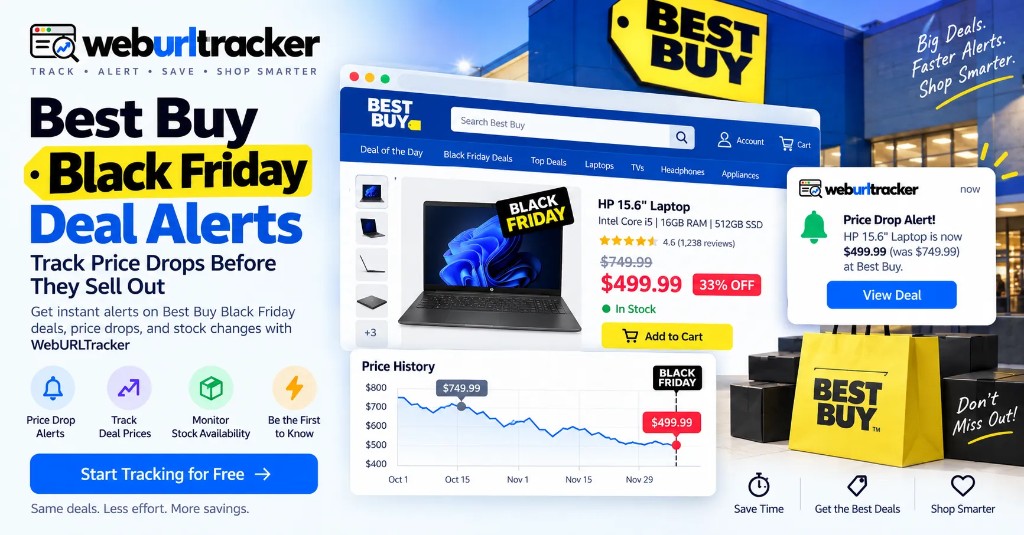
Best Buy Black Friday deals often appear before the official shopping day, so waiting until Friday can mean a missed early discount or an empty cart. Monitor the exact Best Buy product pages you care about. With WebURLTracker, add a product URL, select the price or availability area, set a checking frequency, and get an alert when that region changes.
Start Best Buy watches before Black Friday week
This guide sits under retail price monitoring. For multi-store shopping, see Black Friday deal alerts across retailers. For Amazon-only watches, use Amazon Black Friday deal tracking.
Best Buy Black Friday deals often begin before Black Friday itself. Waiting until the official shopping day can mean missing an early discount or finding that a popular product is already unavailable.
A practical solution is to monitor the exact Best Buy product pages you care about. With WebURLTracker, add a product URL, select the price or availability area, choose a monitoring frequency, and receive an alert when that part of the page changes.
This approach works well for TVs, laptops, Apple products, headphones, gaming products, PC components, phones, appliances, and other products where a price change can make a real difference.
When should you start tracking Best Buy Black Friday deals?
For the 2026 shopping season, Black Friday falls on November 27, followed by Cyber Monday on November 30. Deal season can begin well before that weekend.
A practical timeline is:
- Early October: build your product shortlist
- Late October: start monitoring important products
- Early November: watch prices and early promotions
- Black Friday week: increase monitoring frequency
- Black Friday: focus on high-priority deals
- Cyber Monday: keep monitors running
- After Cyber Monday: watch for clearance and later price changes
You do not need to monitor hundreds of products. Start with the products you would genuinely buy if the price reaches your target. Pair this Best Buy watch with Cyber Monday deal alerts when you plan to keep monitors through the full week.
What Best Buy products should you track?
Best Buy's Black Friday selection spans more than televisions. Common categories include TVs, Apple products, small kitchen appliances, audio equipment, headphones, video games, laptops, PC components, and cell phones.
- TVs: exact model price, bundle, open-box option
- Laptops: exact configuration, RAM, storage
- Apple: MacBook, iPad, AirPods, Apple Watch
- Gaming: consoles, games, accessories
- Audio: headphones, earbuds, soundbars
- PC components: GPUs, monitors, storage
- Phones: exact model and storage
- Appliances: product price and promotion
- Smart home: devices and bundles
The exact model matters. A discount on one configuration does not necessarily mean the version you want has become cheaper.
How Best Buy Black Friday price alerts work
A webpage price monitor watches the product page and checks whether the selected content changes. For a Best Buy product, you might monitor:
- Current price
- Previous or list price
- Sale banner
- Coupon text
- Add to Cart area
- Stock status
- Open-box availability
- Promotional messaging
Page monitoring can detect changes such as a crossed-out original price and a new discounted price, then send an alert with the detected change. You review the stored before-and-after, then open the live listing only when the signal looks real.
Create your shortlist before the rush
Before the sale becomes chaotic, identify the products you are actually interested in. Record the exact model, configuration, and product URL.
Examples: a 65-inch OLED TV, a specific MacBook configuration, a particular GPU, specific Sony headphones, or an exact gaming console bundle.
Divide the list into must-buy, nice-to-have, and backup models. Cap must-buy items at a number you can act on the same day. Backup monitors exist so one sold-out SKU does not end the whole plan.
Add the Best Buy product URL
Paste each product URL into the preview on this page, then create one monitor per product or configuration that matters. Do not combine two SKUs into one watch when the configurations differ.
Name monitors after the product and the signal. Examples: OLED TV price below target, MacBook stock, GPU open-box. Keep names short so Black Friday week review stays scannable.
Select the important page area
Do not automatically monitor the entire Best Buy page. For price tracking, focus on the price block and nearby promotion text. For restocks, focus on the availability or Add to Cart area.
A focused selection reduces noise from reviews, recommendations, changing banners, and other dynamic content. Member pricing and open-box rows can sit beside the public list price, so draw the region that matches the price you would actually pay.
Choose the checking frequency
Your monitoring frequency should match how quickly you need to react.
- Long-term wishlist: daily
- Early Black Friday preparation: hourly or daily
- Important November deals: hourly
- High-demand product: more frequent checks
- Doorbuster window: frequent checks
- Cyber Monday: keep frequent monitors active
Cloud checks run on a schedule with jitter. Start slower in October so you build a baseline. Raise frequency in Black Friday week for the few products that still matter. Alerts go to email on the free plan, or Slack, Teams, Discord, Telegram, and webhooks on paid plans.
Monitor price and stock together
A low price is not useful if the product is sold out. Black Friday shoppers benefit from two related monitors: a price monitor for the target price, and a stock monitor for when the product becomes available.
Example: alert when this TV drops below $1,000, and separately alert when this TV is available to purchase. If you only watch price, a sold-out listing can still look like a win. If you only watch stock, you may buy the first available unit at a price you would not accept on a quieter weekday.
For year-round Best Buy restocks after the holiday window, a dedicated Best Buy stock guide can sit beside this seasonal watch. Until then, reuse the same region-select workflow you use here.
Track the exact SKU and configuration
One of the easiest ways to get a misleading deal alert is to monitor the wrong version of a product. A laptop can have different RAM and storage configurations. A TV can have multiple sizes. A phone can have different storage capacities. A gaming bundle can include different accessories.
- TV: size, model, panel type
- Laptop: CPU, RAM, storage
- Phone: model, storage, carrier
- GPU: exact model and memory
- Console: bundle and included accessories
- Headphones: model and generation
Your monitor should match the product you actually want. When an alert lands, confirm the SKU on the live page before you buy.
Compare Best Buy with other retailers
A Black Friday price is easier to evaluate when you compare the same model elsewhere.
- Best Buy: price, stock, promotion, open-box
- Amazon: price, seller, stock — see Amazon price tracking
- Walmart: price and availability
- Manufacturer: direct price and promotion
Monitor the exact model and configuration across important retailers, then compare the alerts. Put each retailer in its own folder so mute decisions stay local during Cyber Week.
Location, pickup, and open-box details
Best Buy availability and pricing can vary by location, product configuration, delivery method, and store availability. For location-sensitive shopping, monitor the exact Best Buy product page relevant to your market and verify shipping or pickup details after an alert.
Open-box and store-pickup inventory can change independently of the national online price. If open-box is part of your plan, select that area on the page rather than assuming the new-item price covers it.
A simple Best Buy Black Friday monitoring workflow
- Choose the products you genuinely want
- Record the exact model and configuration
- Add the Best Buy URLs to WebURLTracker
- Monitor the price area
- Add a stock monitor when availability matters
- Start with a sensible frequency
- Increase monitoring around Black Friday week
- Monitor competing retailers for important purchases
- Check recent selling price and total purchase cost
- Verify the offer immediately after receiving an alert
Use Local Chrome when a listing needs your signed-in session or member pricing that only appears when you are logged in.
Best Buy Black Friday monitoring at a glance
- Best starting point: exact Best Buy product URL
- Main signals: price, stock, sale banner, open-box, coupon text
- Early setup: October shortlist
- Normal preparation: hourly or daily checks
- High-priority period: more frequent checks during Black Friday week
- Compare: Amazon, Walmart, manufacturer pages for the same SKU
- Noise reduction: focus on the exact page area
- Verification: model, configuration, shipping, pickup, returns
- Monitoring window: October through Cyber Monday and post-event clearance
How WebURLTracker fits this watch
Paste each Best Buy product URL into the preview. Draw only the region that should wake you. Name monitors after the product and the signal. Review from the stored before-and-after when an alert lands. Live pages change again. The event record does not.
Start your Best Buy Black Friday watchlist
You do not need to spend November refreshing Best Buy pages. Build your shortlist early. Monitor the exact products you care about. Get notified when the price or availability changes. Then make the buying decision based on the actual offer, not the noise around it.
Stop refreshing. Start monitoring. Let WebURLTracker watch your Best Buy deals while you focus on the products that matter.
Related guides
- Retail price monitoring hub
- Black Friday deal alerts across stores
- Amazon Black Friday deal tracker
- Amazon price tracking
- Cyber Monday deal alerts
Frequently asked questions
There is no single date that covers every Best Buy promotion. Deals have historically appeared in October and early November. For 2026, Black Friday is November 27 and Cyber Monday is November 30.
When the preview looks right, create the monitor or browse more retail price guides.