
AI Summary
Black Friday deal alerts watch product pages, sale pages, prices, and stock across the stores you already shop. Start monitors in October, raise frequency during Black Friday week, and focus on the exact page area that would change your buy. WebURLTracker applies that webpage workflow so you are not refreshing every retailer tab by hand.
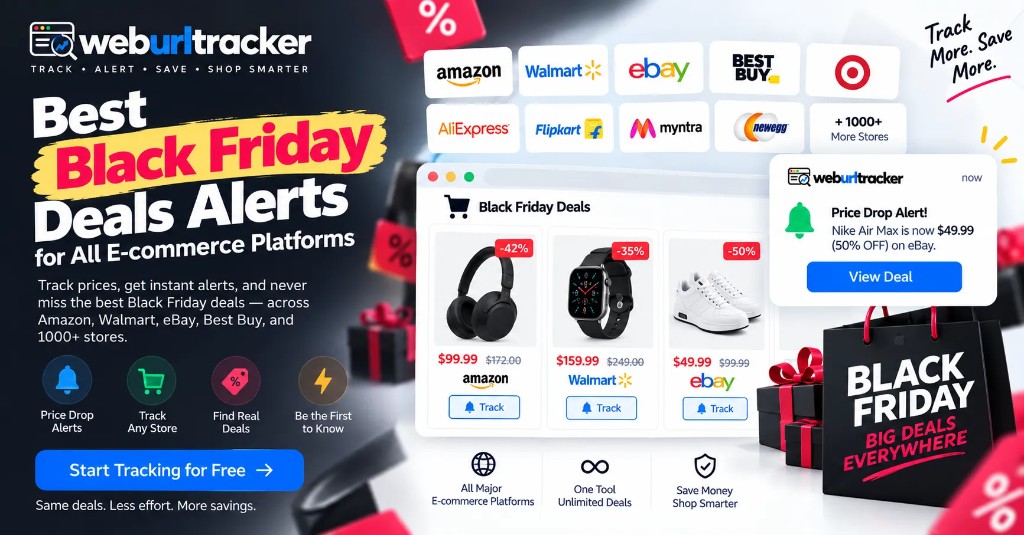
Black Friday is a season, not just one day
This guide sits under retail price monitoring. For an Amazon-only watchlist, see Amazon Black Friday deal tracking. For year-round targets, start with Amazon price tracking.
Black Friday shopping used to revolve around one Friday. That is no longer how most online deals work.
Retailers launch early promotions, limited-time offers, doorbusters, rotating deal pages, and Cyber Week discounts before and after the official date. A product can drop on Tuesday, stay discounted for a few hours, and return to its previous price before you notice.
That makes manual checking a poor workflow. Set monitors across the stores you care about, start in October, and watch exact product pages, sale pages, prices, and stock areas. Tighten checking frequency as Black Friday approaches.
The core idea is simple: do not spend Black Friday refreshing pages. Let the pages come to you.
What are Black Friday deal alerts?
Black Friday deal alerts notify you when something important changes on a product or retailer page.
Depending on the monitor, that change could be:
- A price dropping
- A product becoming available
- A sale badge appearing
- A coupon or promotion changing
- A new product being added to a deals page
- A product moving back in stock
- A specific text or visual element changing
Select a price block or In Stock text when the decision is one SKU. Monitor an entire sale page when you want broader coverage. That flexibility matters during Black Friday because the best opportunity is not always a simple price change. Sometimes the product is already discounted, and the real event is that it becomes available again.
Why Black Friday alerts beat manual checking
Black Friday is difficult to monitor manually because deals move quickly, retailers use different schedules, and pages change constantly. Lightning deals can disappear in minutes. Prices, stock, and promotions can change without a convenient retailer notification.
A monitor watches the relevant page area and tells you when something changes. You only open the listing when the signal is real.
That matters when you are watching ten products across four retailers. Manual checks force you to reopen every tab, re-find the price, and hope nothing moved since the last pass. A focused monitor turns that into a queue of events you can review in order.
Black Friday alert methods compared
- Retailer app: strong for one-store shoppers, weak when you juggle many apps
- Email alerts: easy to search later, can arrive after a short deal ends
- Push notifications: fast for flash deals, needs notification access
- SMS: hard to miss, best reserved for critical purchases
- Webpage monitoring: exact URL, price, stock, and page focus across retailers
Webpage monitoring is the fit when you need several retailers in one workflow. For a serious watchlist, combine retailer apps for store-wide promos with WebURLTracker for the exact products you care about.
Apps still help when a retailer pushes a store-wide coupon or early-access window. Webpage monitors help when the decision is a specific SKU, a specific price, or a specific stock state on a page you already trust.
When should you start Black Friday deal alerts?
Do not wait until Black Friday morning.
- Early October: add target products and begin hourly checks
- Mid-November through Cyber Week: raise frequency for high-priority products
- After Cyber Monday: keep monitors running for clearance and price adjustments
Starting early is not only about speed. You also build a baseline. If you know what a product costs before the shopping event, it is easier to judge whether the advertised discount is a real change. Pair this season guide with Cyber Monday deal alerts when you plan to keep watches through the full week.
Which retailers should you monitor?
You do not need to monitor every retailer on the internet. Start with the stores where you already expect to buy. Amazon, Walmart, Best Buy, and Target are the usual starting set. Add brand websites and specialty shops only when those pages are where the real purchase happens.
The exact page elements vary by retailer, so focus the monitor on the information that would change your buying decision. Ignore nav banners, recommendation carousels, and rotating ads that do not affect the purchase.
Amazon
Monitor the exact product price, stock text, and model-specific listing. Deal pages can also be monitored when you want broader discovery. For deeper Amazon setup, use Amazon Black Friday deal tracking and Amazon in-stock alerts.
Walmart
Watch product prices, delivery information, and relevant promotional areas on the listing you would actually buy. Pickup and shipping options can change the final cost even when the sticker price stays flat.
Best Buy
For electronics, monitor the product price, open-box availability, and any member pricing that changes the total. Total Tech or similar membership pricing can move independently of the public list price, so select the price you would actually pay.
Target
Product-page prices, promotions, and gift-card offers can be useful monitoring targets. Circle offers and gift-card promotions often sit beside the price, so draw a region that includes both when either would change the buy.
Price alerts and restock alerts work better together
A low price is not useful if the product is unavailable. This matters most for high-demand Black Friday products.
Set one alert for the price and another for availability when necessary. Example: alert below $500 for price, and alert when Add to Cart appears for stock. Now you are watching both sides of the purchase condition.
If you only watch price, a sold-out listing can still look like a win. If you only watch stock, you may buy the first available unit at a price you would not accept on a quieter weekday. Layering both keeps the signal tied to a purchase you would still make.
Avoid fake or misleading deals
A large percentage-off label does not tell you whether the offer is actually good. Before purchasing, verify:
- Exact model or SKU
- Previous pricing you have seen on that listing
- Current selling price
- Shipping cost
- Taxes and fees
- Membership requirements
- Coupon requirements
- Return policy
- Product condition
Check recent selling history and the true total cost, including shipping, taxes, membership fees, gift cards, and returns. A $799 product with $50 shipping is a different deal from a $799 product with free shipping.
How to set up Black Friday monitors in WebURLTracker
WebURLTracker follows the webpage-monitoring model. A practical setup is:
- Copy the product or sale-page URL
- Paste it into the preview on this page
- Select the price, stock, or sale area
- Set the checking frequency
- Choose your notification channel
- Review the alert when the page changes
Repeat the process across Amazon, Walmart, Best Buy, Target, brand websites, and smaller retailers. The workflow starts with the page you care about rather than requiring the product to exist in a specific retailer database.
Cloud checks run on a schedule with jitter. Alerts go to email on the free plan, or Slack, Teams, Discord, Telegram, and webhooks on paid plans. Use Local Chrome when a listing needs your signed-in session.
Name each monitor after the product and the signal. Examples: OLED TV price below target, noise-cancelling headphones stock. Keep names short so Cyber Week review stays scannable.
Build a smaller, smarter watchlist
More monitors do not automatically mean better results. Divide your list into:
- Must buy: purchase if the target price is reached
- Nice to have: buy only at a meaningful discount
- Backup: alternative models or retailers if the first choice sells out
A focused watchlist makes alerts easier to prioritize during Cyber Week. Put each retailer in its own folder so mute decisions stay local. Cap must-buy items at a number you can act on the same day. Backup monitors exist so one sold-out SKU does not end the whole plan.
Review muted or paused monitors after Cyber Monday. Clearance pricing sometimes continues into the following week, and a quiet baseline from October still helps you judge late drops.
Black Friday deal alerts at a glance
- Best starting point: exact product URL
- Main signals: price, stock, sale badge, promotion, coupon text
- Early setup: October
- Normal preparation: hourly monitoring
- High-priority period: more frequent checks during Black Friday week
- Retailers: Amazon, Walmart, Best Buy, Target, brand sites, smaller retailers
- Noise reduction: focus on the exact page area and use thresholds
- Verification: check recent price and total purchase cost
- Monitoring window: October through Cyber Monday and post-event clearance
Create a focused watchlist, establish a baseline, increase monitoring when timing matters, and verify every deal before buying.
How WebURLTracker fits this watch
Paste each product or deals URL into the preview. Draw only the region that should wake you. Name monitors after the product and the signal, not only the hostname. Review from the stored before-and-after when an alert lands. Live pages change again. The event record does not.
Final takeaway
Black Friday rewards preparation more than page refreshing. Build your product shortlist early. Monitor the exact pages you care about. Watch both price and stock when necessary. Increase checking frequency as the shopping window gets closer. Then, when the alert arrives, verify the offer before buying.
Set the monitor before the rush. Let the page tell you when something changes. Keep the final buying decision in your hands.
Related guides
- Retail price monitoring hub
- Amazon Black Friday deal tracker
- Amazon price tracking
- Amazon in-stock alerts
- Cyber Monday deal alerts
Frequently asked questions
Start in October. Seed monitors early with slower checks, then raise frequency as Black Friday and Cyber Week approach so you have a baseline before the rush.
When the preview looks right, create the monitor or browse more retail price guides.