
AI Summary
Amazon in-stock alerts notify you when a product that is unavailable becomes available again. The challenge is that Amazon does not provide a universal back-in-stock alert for every product, particularly for high-demand items. A practical alternative is webpage monitoring. Instead of waiting for a retailer notification, monitor the Amazon product page itself and watch the availability area, Currently unavailable message, or Add to Cart button. WebURLTracker can be used for this workflow. Add the product URL, select the important area, define the change you want to detect, and choose a monitoring frequency. You can also monitor price and availability together. For fast-moving products such as GPUs, consoles, limited releases, collectibles, and popular electronics, frequent checks matter. For ordinary products, hourly or daily monitoring may be enough.
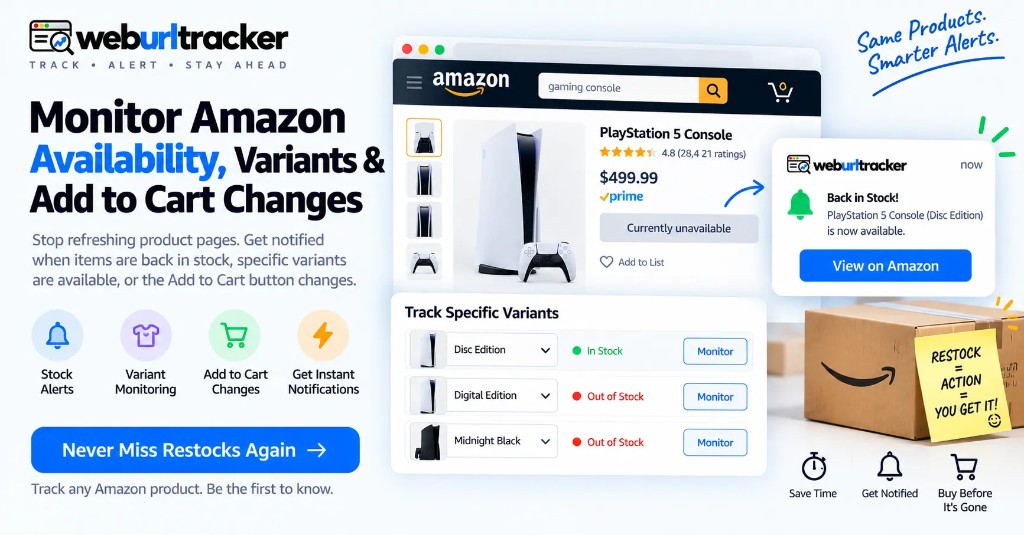
Why Amazon In-Stock Alerts Matter
This guide sits under retail price monitoring. For stock signals across any retailer, also see back in stock alerts.
Finding the product you want is only half the battle. The bigger problem can be catching it when inventory returns.
Popular products can move from Currently unavailable to In Stock and back again quickly. Manually refreshing the same Amazon tab is frustrating, and it is easy to miss a short restock window.
Guides on this topic recommends monitoring the availability module itself and using alerts when the page changes.
An automated monitor changes the workflow:
Instead of checking Amazon repeatedly, let the page tell you when something changed.
That is especially useful when you are tracking several products at once.
Does Amazon Offer Back-in-Stock Alerts for Every Product?
No. Amazon does not provide a universal back-in-stock alert for all products. Some categories or sellers may offer notification options, but availability is not consistent across every product page.
That creates a gap for shoppers watching high-demand products.
A webpage monitor does not depend on whether a retailer exposes a dedicated "Notify Me" feature. It watches the public product page and looks for the availability change you care about.
3 Ways to Monitor Amazon Availability
product page restocks yourself
Amazon Use an available Built into the Not available availability retailer option shopping universally notices experience
Webpage Monitor the Works across Requires setup monitoring product page pages and can run and monitoring automatically on a schedule resources
For a scarce product or multiple watchlist items, automation removes the repetitive work.
How to Set Up an Amazon In-Stock Alert with WebURLTracker
Copy the Product URL
Open the Amazon listing for the exact product you want.
If the item has separate size, color, storage, or configuration choices, make sure you are monitoring the version you actually want.
Add the URL to WebURLTracker
Create a monitor for the product page.
You do not need to keep the Amazon page open. The purpose of monitoring is to move the repetitive checking into the background.
Select the Availability Area
Focus on the part of the page that changes between unavailable and available.
Useful targets include:
- Currently unavailable
- In Stock
- Add to Cart
- Availability or delivery text
- Variant availability
Monitoring a smaller area can reduce irrelevant alerts caused by reviews, recommendations, ads, and other changing Amazon content.
Define the Alert Condition
A useful alert should describe an actionable event.
Examples:
Example: "Alert me when this product is back in stock."
Example: "Alert me when the Add to Cart option appears."
Example: "Alert me when this specific product variant becomes available."
You can also create a separate monitor for price changes if the purchase depends on both stock and price.
Choose Check Frequency
Product situation Suggested approach
GPU or console restock Frequent checks during expected windows Limited-edition collectible Frequent checks Normal household product Hourly or daily Long-term wishlist Daily or less frequent
The source suggests faster checks for hot items and slower checks for casual monitoring.
Monitor Price and Stock Together
A restock is not automatically a good buying opportunity.
The product may return at a higher price, or a different seller may become the primary offer.
That is why price and availability can work well together.
Signal What it tells you
Add to Cart appears Purchase action may be available Price drops The current price changed Seller changes The offer may have changed Delivery changes Fulfillment timing changed
For example, you could monitor availability and create a separate price monitor with a threshold such as:
Example: "Alert me when the product is in stock and the price is below my target."
Whether both conditions can be combined depends on the monitoring workflow you use; otherwise, two focused monitors can keep the signals clear.
Why Page-Specific Monitoring Reduces Alert Noise
Amazon pages contain a lot of moving content.
Recommendations can change. Reviews can update. Promotional banners can rotate. Delivery estimates can vary.
If you monitor the entire page, you may receive alerts that have nothing to do with inventory.
A focused selection is usually better.
Watch the area around:
- Stock status
- Add to Cart
- Variant selector
- Price
- Delivery availability
This makes alerts easier to understand and more actionable.
When Should You Use Fast Monitoring?
Fast monitoring is most useful when inventory disappears quickly.
Consider increasing your monitoring frequency around:
- Product launches
- Scheduled drops
- Restock announcements
- Major shopping events
- Limited releases
- High-demand electronics
For a product that stays in stock for days, extremely frequent checks may add little value.
A good strategy is to monitor normally and temporarily increase frequency around an expected restock window.
A practical approach is checks around 5--15 minutes for hot items and hourly or daily monitoring for less urgent products.
Amazon In-Stock Alerts for Businesses
Availability monitoring can also support ecommerce teams.
- Competitor inventory: watch whether competing products become unavailable or return to stock.
- Market research: observe public availability changes over time. Page monitoring does not reveal underlying inventory quantities.
- Multi-retailer monitoring: track equivalent product pages across Amazon and other stores.
Amazon Restock Monitoring Across Markets
Amazon availability can vary by regional marketplace, including seller inventory, delivery, pricing, and fulfillment.
A Simple Amazon Restock Monitoring Workflow
- Find the exact Amazon product and variant.
- Copy the product URL.
- Add it to WebURLTracker.
- Monitor the stock or Add to Cart area.
- Set an actionable alert.
- Choose a frequency based on urgency.
- Add price monitoring when needed.
- Verify seller, price, variant, and delivery after an alert.
Start Tracking Amazon Restocks with WebURLTracker
You should not have to refresh the same Amazon page all day just because a product is difficult to find.
Build a focused watchlist. Monitor the exact availability signal that matters. Increase checking frequency when a restock is likely. Add price monitoring when you also care about the deal.
WebURLTracker helps turn a repetitive manual task into an automated monitoring workflow. Stop refreshing. Start monitoring. Get notified when the product you want comes back.
How WebURLTracker fits this watch
Paste the Amazon URL into the preview on this page. Draw only the region that should wake you: price, availability, Add to Cart, delivery, or a deal label. Name the monitor after the product and the signal.
Cloud checks run on a schedule with jitter. Alerts go to email on the free plan, or Slack, Teams, Discord, Telegram, and webhooks on paid plans. Use Local Chrome when the listing needs your signed-in session.
A short setup checklist
- Copy the exact Amazon product or deals URL you care about
- Paste it into the WebURLTracker preview on this page
- Select only the region that should wake you
- Set a threshold when tiny edits should stay quiet
- Choose a check frequency that matches urgency
- Pick email or Slack, then create the monitor
- Review the first alerts against the stored before-and-after
Run the watch for a few days beside any full-page habit you already have. Compare false positives, not feature lists. Tighten the region before you raise frequency.
Folders and team review
Put each catalog or seasonal event in its own folder. Mute decisions then stay local instead of silencing every watch in the workspace. Assign one owner for naming before the team piles in.
Review from the event artifact: before screenshot, after screenshot, and text diff. Live pages change again. The stored event does not. That matters when you need a record of what Amazon showed at alert time.
Thresholds that cut noise
A one-cent rounding change is not a price drop for most shoppers. Use a percentage or absolute threshold so tiny layout or currency formatting edits stay quiet. Draw the important region first. Tune the threshold second.
Throttle repeats when a merchant flickers a promo badge during a messy campaign. One clear alert beats ten near-duplicates while the page settles.
For high-demand electronics, pair this stock watch with Amazon price tracking so a restock at the wrong price does not look like a win. During major sales, also see the Black Friday and Prime Day deal guides.
Keep cloud for public Amazon pages. If availability only appears after sign-in, run the monitor as Local in Chrome so the check uses the browser session you already signed into.
Related guides
- Retail price monitoring hub
- Amazon price tracking
- Back in stock alerts
- Amazon Black Friday deal tracker
You do not need to keep refreshing Amazon. Build a focused watchlist in WebURLTracker, set meaningful alerts, and act when the page changes.
Frequently asked questions
Monitor the Amazon product page with a webpage monitoring tool. Watch the availability or Add to Cart area and set an alert for the change from unavailable to available.
When the preview looks right, create the monitor or browse more retail price guides.